Sell with the lightweight shop
Contents
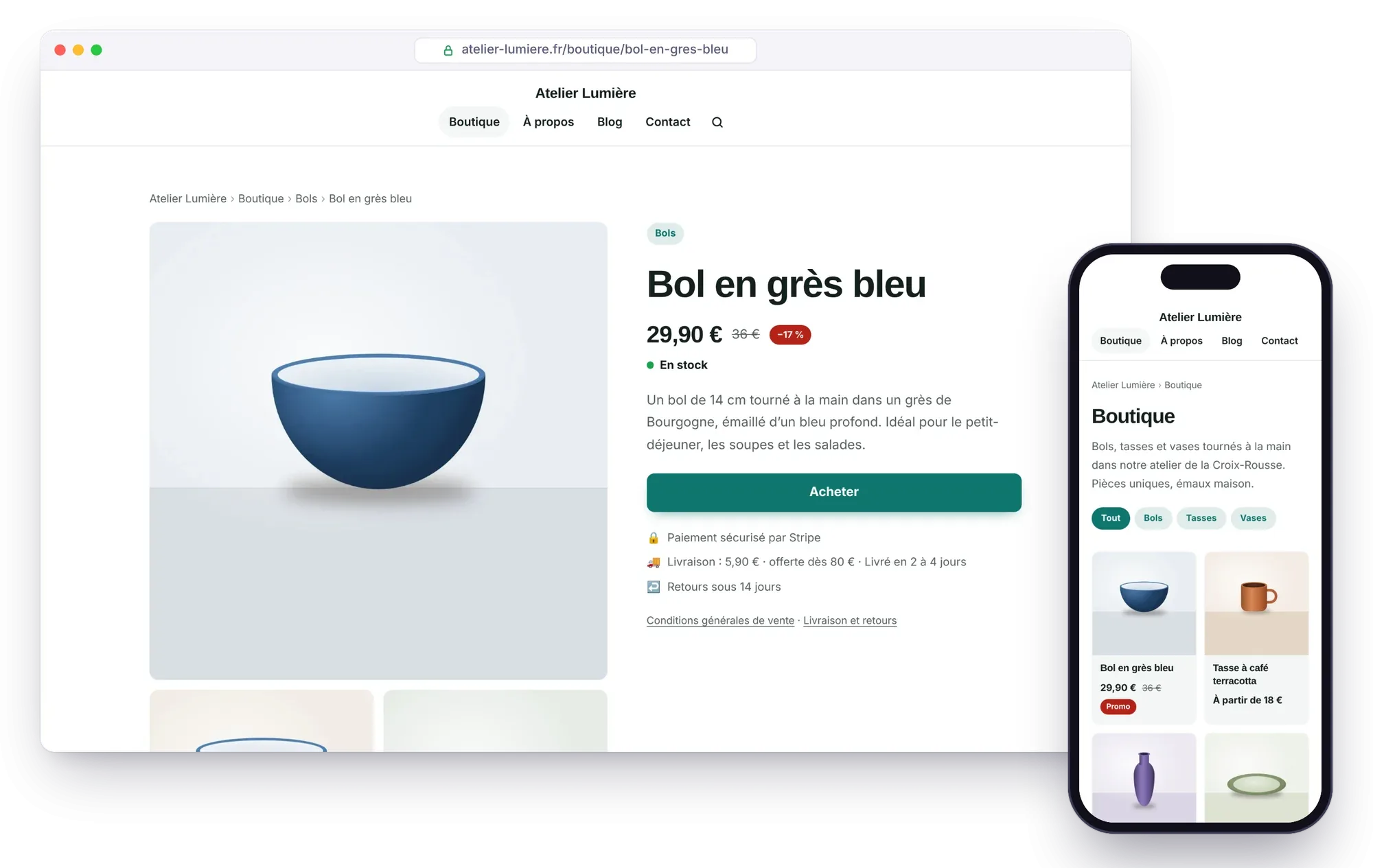
Éclair's lightweight shop lets you sell a few dozen products without the overhead of an e-commerce platform: no cart, no customer accounts, no payment details on your server. Each product has its own page, understood by Google, and a Buy now button connected to a payment link. Atelier Nova sells its bowls and gift vouchers there.
What you'll be able to do
Get paid without a cart
Connect each product to a Stripe, PayPal or Revolut Business payment link.
Create product pages that sell
Price, photos, variants and details for Google Shopping.
Get found
Structured data, a Merchant Center feed and a version AI can read.
The principle: one payment link per product
The lightweight shop handles no cart, no orders and no database. Your visitor opens the product page, clicks Buy now, pays on your payment provider's secure page, then comes back to your thank-you page if you use Stripe. The provider collects the payment, sends the receipt and handles refunds; each order reaches you through the provider, and by email if you've turned that on. You pack and ship.
A lightweight shop suits a few dozen products. For hundreds of items, or if you need a cart and discount codes, a full e-commerce platform such as Shopify, WooCommerce or PrestaShop will be a better fit.
Open the shop in 5 steps
- Publish your legal notice and your terms of sale. The shop refuses to open without these two pages: have them reviewed, because as the seller you're legally responsible for them.
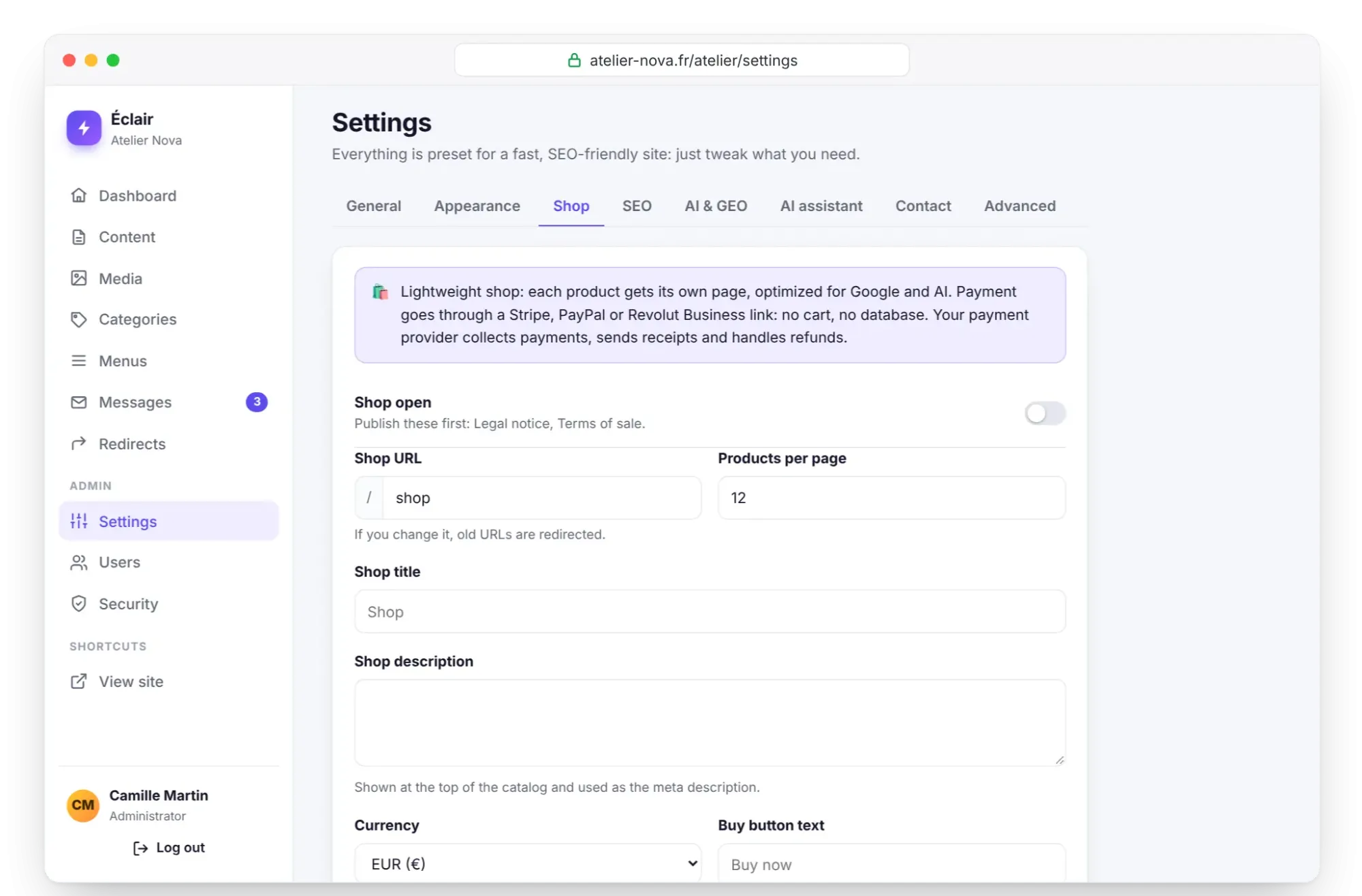
- In Settings › Shop, Shop pages section, select Legal notice and Terms of sale, then the Shipping and returns page if you have one: its link appears below the buy button.
- Set the Currency (euro, US dollar, pound sterling, Swiss franc or Canadian dollar), then the shipping and returns settings detailed in the table below.
- Click Create the thank-you page: Éclair publishes a “Thank you for your order!” page, excluded from Google, and shows the URL to paste into Stripe.
- Turn on Shop open, save, then add the shop to your menu in Menus.
The catalog opens at /boutique on Atelier Nova's French-language site (/shop on an English-language site), and you can change this in Shop URL; if you do, the old URLs are redirected.
| Setting | Atelier Nova's example | Good to know |
|---|---|---|
| Shipping cost | €6.90 | Empty: not shown; 0: free shipping; ignored for a digital product |
| Free shipping over | €80 | Optional |
| Delivery time (days) | 3 to 6 | 2 to 5 by default |
| Shipping countries | FR, BE, CH | Two-letter codes, separated by commas |
| Return window (days) | 14 | In the EU, distance selling gives at least 14 days to withdraw, with some exceptions such as a personalized product |
Create a product page
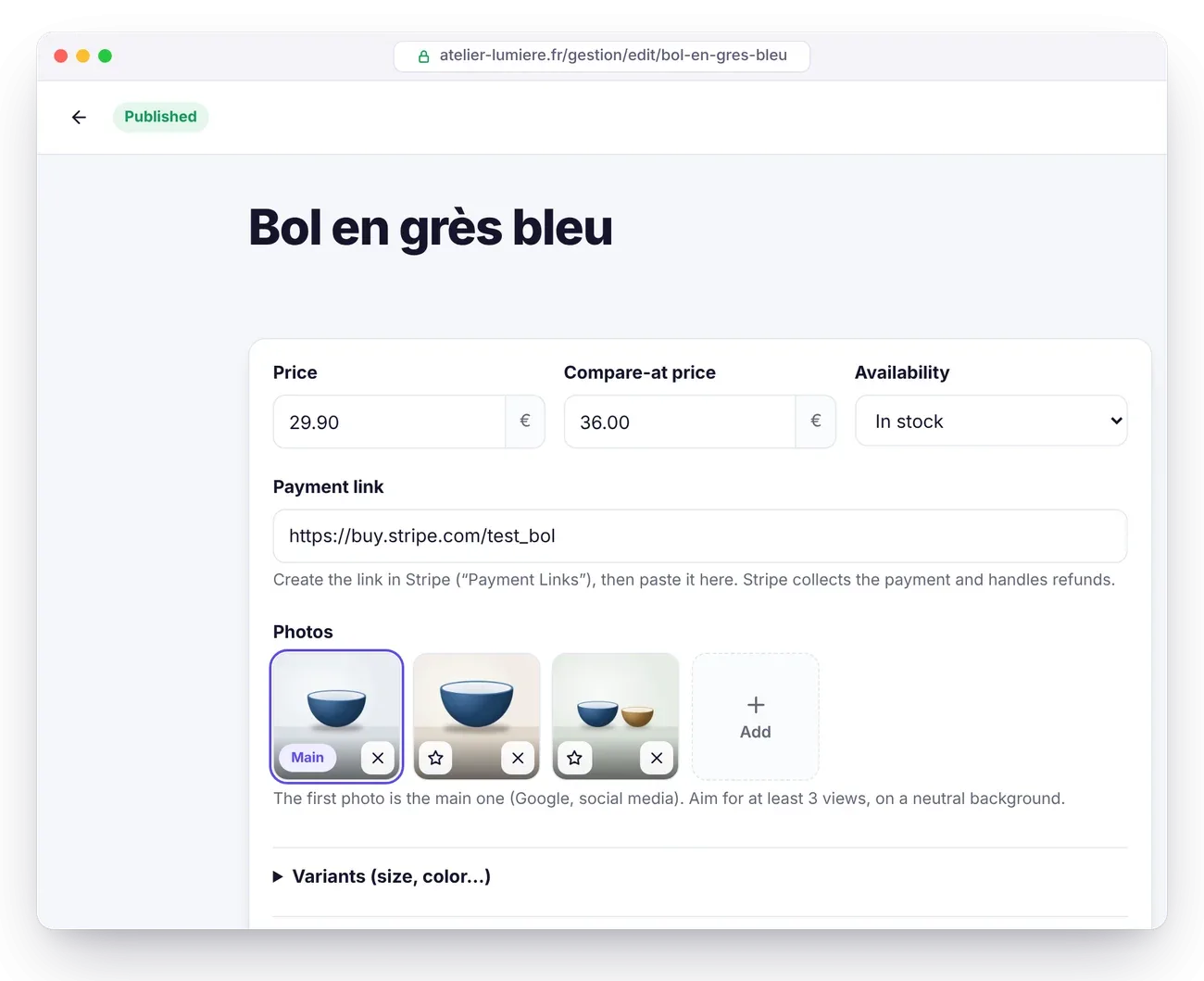
Once the shop is open, go to Content › + Product. At the top of the editor, the product details bring together:
- Price and Compare-at price, which is optional: the discount is shown as a percentage. Show prices including tax if you sell to consumers.
- Availability: In stock, Sold out or Pre-order.
- Payment link: the fixed-price Stripe, PayPal or Revolut Business link.
- Photos: the first one is the main one, the one Google and social networks see. Aim for at least 3 views, on a neutral background.
- Variants (size, color…): a variant with no price or link uses the product's, but a variant with a different price needs its own link. On the site, choosing a variant works without JavaScript.
- Google Shopping details: brand, SKU, barcode (GTIN, EAN), condition, and the Digital product or service (no shipping) checkbox.
Below the product details, describe the product with the usual blocks and file it in a product category. Atelier Nova's “Glazed stoneware bowl” costs €34 in two colors at the same price, Sand and Midnight blue: one link is enough. The large model at €48 needs its own link.
The SEO analysis also checks the price, the payment link, variants without a link, the number of photos and the identifiers. With the AI assistant, attach a photo and ask “Create a product page from the attached photo. Price: €34”: it writes the draft, but never makes up a price, a discount or a payment link.
How do you create a Stripe Payment Link?
- In Stripe, open Payment Links and create a link: product, price, and shipping address collection if needed.
- In the After the payment tab, choose to redirect customers to your thank-you page, whose URL is shown in Settings › Shop.
- In Stripe's settings, under Customer emails, turn on receipts for successful payments.
- Copy the link, which starts with
https://buy.stripe.com/, and paste it into the product page. Éclair adds the product reference to it (client_reference_id): each payment shows what was bought.
PayPal: in your business account, open Payment links and buttons and create a fixed-price link (https://www.paypal.com/…). Revolut Business: with a merchant account, open Merchant › Payment link and create a link with the amount (https://checkout.revolut.com/…). Éclair recognizes these links and shows “Secure payment with PayPal” or “with Revolut” below the button.
Two differences from Stripe: the customer stays on the provider's confirmation page, and the product reference isn't passed on, so give each link a clear name. Any other payment provider works too, as long as its link starts with https://.
How much do payments cost?
Nothing on Éclair's side: you only pay your payment provider's fee, on each payment. Stripe charges no subscription or setup fee, and payment links are included at Stripe as well as at Revolut. Prices checked at the end of October 2026, subject to change:
| Provider | Standard EEA card | Other cases | Source |
|---|---|---|---|
| Stripe (France) | 1.5% + €0.25 | 2.8% + €0.25 for a premium card, 3.15% + €0.25 outside the EEA, plus 2% for a currency conversion | stripe.com/fr/pricing, checked on October 30, 2026 |
| Revolut Business | 1% + €0.20 (consumer card) | 2.8% + €0.20 for a card from outside the EEA | Revolut help and Revolut pricing, checked on October 31, 2026 |
| PayPal (France) | 1.2% + €0.35 (card payment) | 2.9% + €0.35 with a PayPal account, plus 1.99% outside the EEA (1.29% from the UK) | PayPal fee schedule updated July 15, 2026, checked on October 31, 2026 |
For the €34 bowl paid with a standard EEA card, the fee is about €0.76 with Stripe (1.5% of €34, i.e. €0.51, plus €0.25), €0.54 with Revolut Business and €0.76 with PayPal by card.
What's built in for Google and AI
- Structured data: Product and Offer on each product page, ProductGroup for variants, with price, currency, stock, condition, brand, shipping cost and delivery time. The return policy is declared at the level of your business.
- Product feed
/products.xml, in Google Merchant Center format: copy its URL from Settings › Shop and add it as a product source in Merchant Center to appear for free in the Shopping tab. - Product categories as pillar pages, a sitemap with every photo, breadcrumbs.
- For AI: price and availability in llms.txt and in the Markdown version of each product page.
Only complete offers, with a price and a payment link, go into the structured data and the feed.
What the lightweight shop doesn't do
No multi-product cart, no discount codes, no customer accounts, no automatic stock management: availability is changed by hand on each product page. The prices displayed are the ones you enter. And when the shop is closed, all product pages become invisible.
Key points
- Publish your legal notice and terms of sale first: without them, the lightweight shop stays closed.
- One product, one fixed-price payment link; a variant at a different price gets its own link.
- With Stripe, the thank-you page and the product reference are handled for you.
- Aim for 3 photos per product and fill in the brand and code for Google Shopping.
- Add /products.xml in Merchant Center to appear in the Shopping tab.
Going further
- Essential settings before launch: the legal notice and required pages.
- SEO with Éclair: the analysis that also checks your product pages.
- Turn on the built-in AI assistant: write a product page from a photo.
- Sources: the Stripe Payment Links documentation and Google's guide to Product structured data.
Frequently asked questions
Can I sell digital products or services?
Yes: check Digital product or service (no shipping) in the Google Shopping details. Shipping costs then don't apply to that product.
What happens if a product has no payment link?
The “Buy now” button stays disabled and the SEO analysis flags it in red. The product doesn't go into the structured data or the Merchant Center feed either.
Do my customers' bank details go through my site?
No. The customer pays on the Stripe, PayPal or Revolut page, and your site never sees a card or any bank details.
Why won't my shop open?
The legal notice and the terms of sale must be published pages, selected in Settings › Shop. As long as one is missing, Éclair keeps the shop closed and shows which page to publish.