Blog, categories and topic clusters
Contents
A topic cluster organizes your blog like a library: pillar categories, posts that each answer a specific question, and links that connect them. Éclair provides everything you need: categories with a description and an SEO title, assisted internal links, automatic related posts, author pages and an RSS feed. Here's how Atelier Nova builds its own.
What you'll be able to do
Set up your blog
URL, title, description and number of posts per page.
Create pillar categories
A real page for each topic, with a description and an SEO title.
Build your topic cluster
Plan, link and schedule your posts methodically.
Posts or pages: what should you publish where?
| Post | Page | |
|---|---|---|
| Date and author shown | Yes | No |
| Category | Only one | None |
| In the blog, the RSS feed and the “Latest posts” block | Yes | No |
| URL | /blog/your-post | /your-page, with possible subpages |
| Best for | Advice, news, answers to a question | Offer, services, contact, legal pages |
At Atelier Nova, “Wheel-throwing classes” is a page: it's the offer, and it doesn't age. “Which clay should you choose to start wheel throwing?” is a post: it answers a specific question and feeds the blog.
Set up the blog
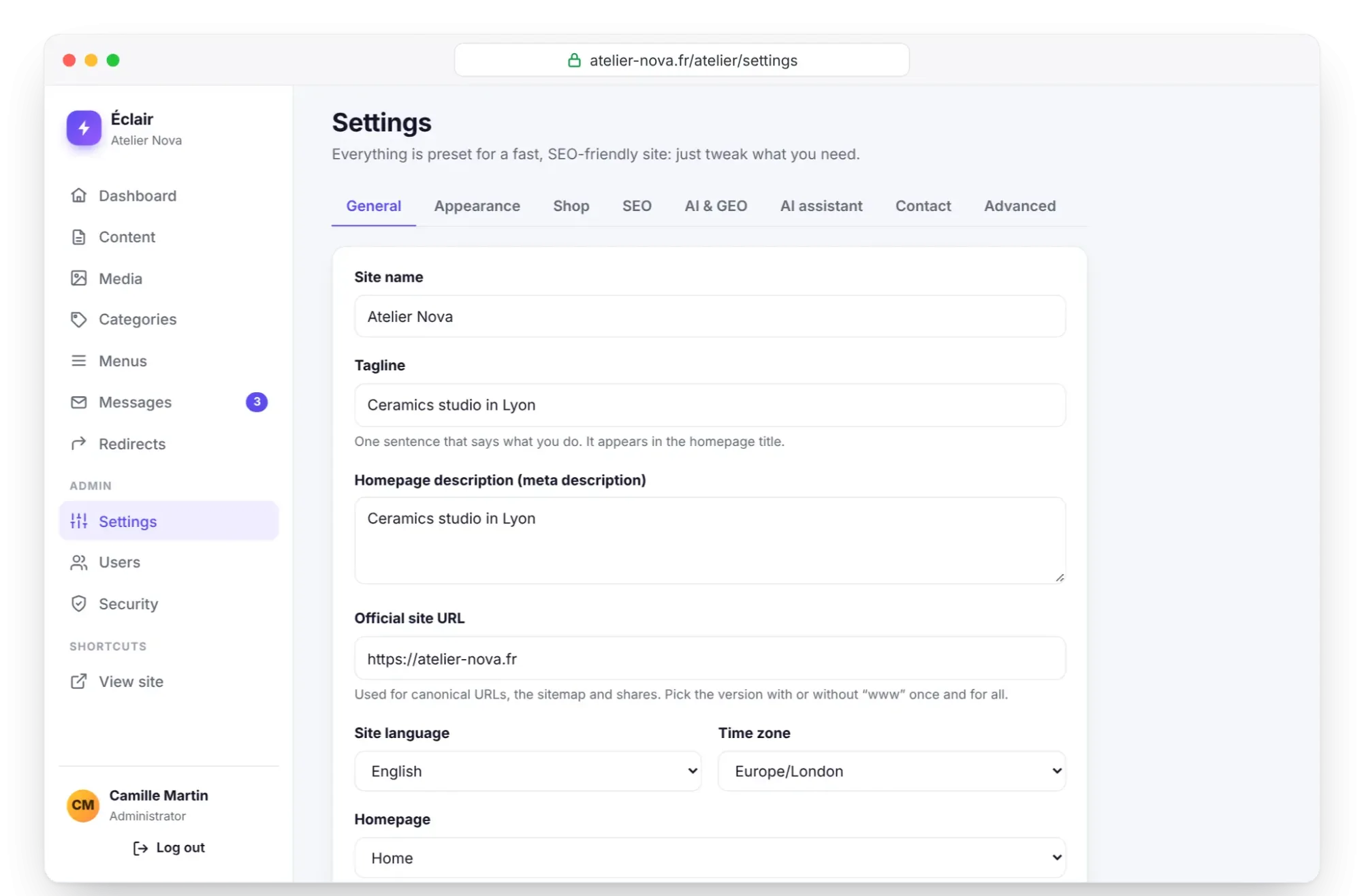
Everything happens in Settings › General:
- Blog enabled: “Posts, categories, RSS feeds and author pages.” Uncheck it for a business website without posts.
- Blog URL: /blog by default. If you change it, the old URLs are redirected.
- Posts per page: from 1 to 48, 9 by default.
- Blog title and Blog description: shown at the top of the list of posts; the description is also used as the meta description.
- Homepage: “Latest blog posts”, or one of your pages. In the second case, the blog lives at its own URL, /blog.
Create pillar categories
Open Categories in the admin menu. The New category form asks for:
- Name, for example “Wheel throwing”;
- Slug (URL): automatic, or short and explicit like
wheel-throwing; - Description, “shown at the top of the category page: 2 to 4 sentences rich in topic vocabulary”;
- SEO title (optional), such as “Wheel throwing in ceramics, tips for beginners”.
If your shop is open, the It contains field lets you choose between Posts (blog) and Products (shop). Click Save: the category becomes a real page, at /blog/wheel-throwing, with its breadcrumbs. It enters the sitemap as soon as it contains a published post, and llms.txt with an excerpt of its description.
Each post then gets its category in the editor: Document tab, Classification section, Category list. If you change a category's URL, Éclair redirects the old one; if you delete the category, its posts stay published, without a category.
How does a topic cluster work?
A topic cluster connects three levels: a pillar page (the category) that presents a topic, satellite posts that each answer a question, and a conversion page (your offer, your contact page). Links go both ways: each post leads to its pillar, to two neighboring posts and to the offer. Your readers always find what comes next, and search engines follow links that clearly outline your topic.
| Pillar (category) | Satellite posts | Conversion page |
|---|---|---|
| Wheel throwing | Which clay should you choose to start? · How many sessions to center the clay? · Electric wheel or kick wheel? | Wheel-throwing classes |
| Glazing | Glossy or matte glaze, which one to choose? · How do you avoid glaze runs? | Glazing workshop |
| Firing | Earthenware, stoneware or porcelain, what are the differences? · How does a firing go? | Firing your pieces |
| Care | Can a handmade piece go in the dishwasher? · What should you do with a chipped piece? | Made-to-order pieces |
Éclair helps you at every level:
- Assisted internal links: as you type a link, or with
Ctrl+K, the editor suggests your pages and posts; - Read next: below each post, 3 related posts, chosen first from the same category, then from the most recent ones;
- Breadcrumbs: “Atelier Nova › Blog › Wheel throwing › post” when the home page is a page;
- “Latest posts” block: on an offer page, from 1 to 12 posts, filtered by category if you like;
- SEO analysis: it asks for at least 2 internal links per post.
Build your topic cluster in 7 steps
- List your customers' questions: messages received, calls, questions asked in class. Aim for 15 to 30 questions.
- Group them into 3 to 5 topics: these will be your pillar categories.
- Create each category with its description and its SEO title.
- Write one post per question, with the question as the keyphrase and Key takeaways that answer it.
- In each post, place a link to the category, two to neighboring posts and one to the offer page.
- On each offer page, add a “Latest posts” block filtered on the matching pillar.
- Publish at a steady pace, for example one post a week, thanks to scheduling.
Author pages, RSS feed and scheduling
- Author pages: each author has a page that lists their posts, at a URL like /blog/author/camille-martin. The information in My profile (job title, bio, photo, online profiles) also appears in the “About the author” box below each post and in the structured data: a plus for E-E-A-T.
- RSS feed: /feed.xml publishes your last 20 posts, full text, category and author included. Feed readers and newsletter tools can read it directly.
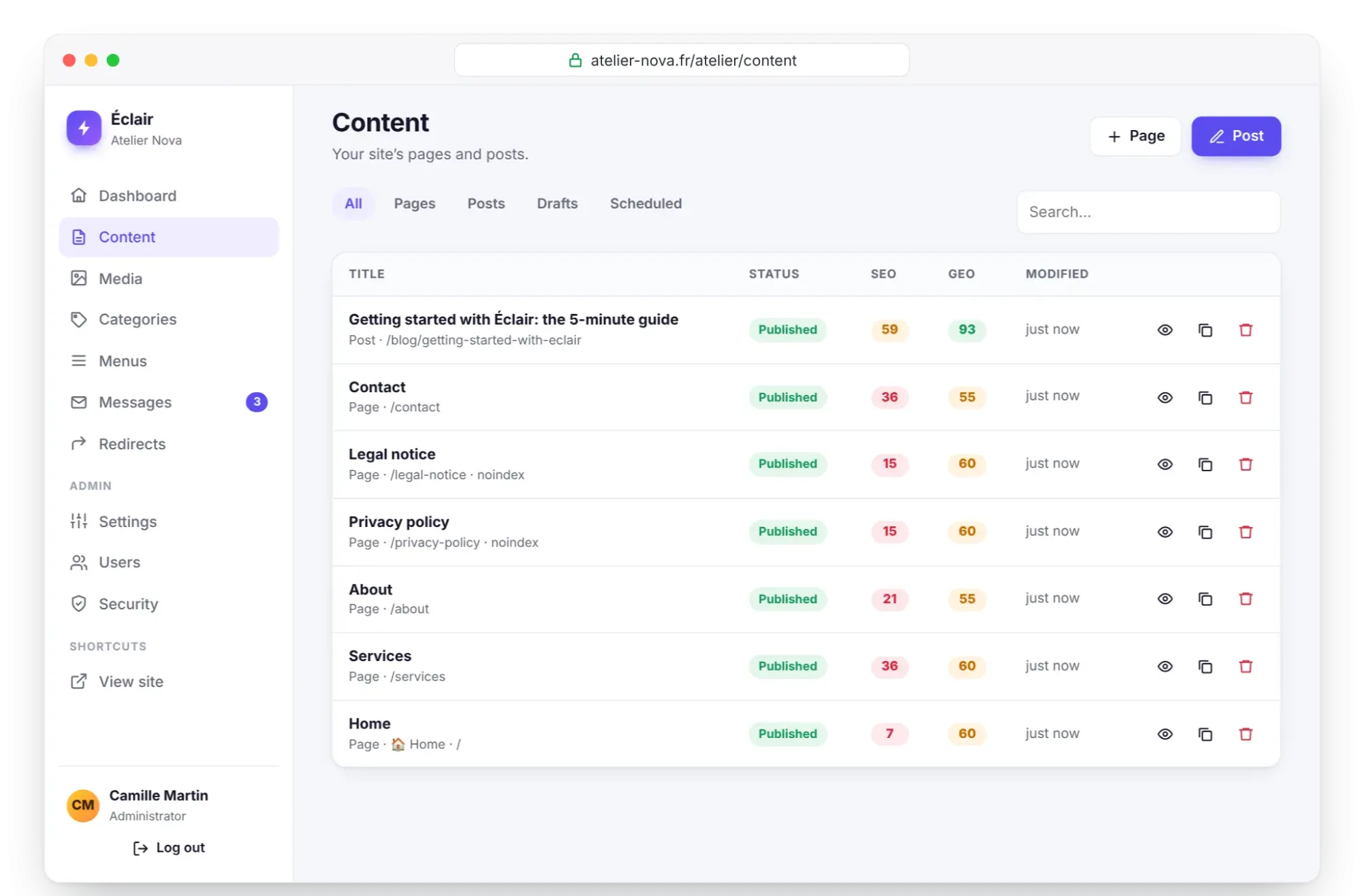
- Scheduling: in Document › Publishing, choose a future Publish date, then click Publish. The post carries the “Scheduled” badge, appears in the Scheduled filter of Content and publishes itself at the planned time.
- Contents: this table of contents appears automatically on posts with 3 or more subheadings.
Key points
- A page presents your offer; a post answers a question and feeds the blog.
- Each category is a real pillar page: take care of its description and its SEO title.
- In a topic cluster, each post leads to its pillar, its neighbors and your offer.
- “Read next”, breadcrumbs and the “Latest posts” block strengthen internal linking with no extra work.
- Schedule your posts to publish at a steady pace.
Going further
- SEO with Éclair: the analysis that checks your internal links and your structure.
- GEO: getting cited by AI: author pages, E-E-A-T and content that's easy to quote.
- 40 MCP use cases, with prompts: have Claude or ChatGPT prepare a cluster plan and drafts.
- Source: Google's link best practices, especially for anchor text.
Frequently asked questions
Can a post belong to several categories?
No, only one. That's intentional: one pillar per post keeps a cluster readable. To connect neighboring topics, place internal links in the text.
How many posts do I need per category?
There's no technical minimum: a category enters the sitemap as soon as it contains a published post. For a pillar page to make sense, wait until you have 3 to 5 posts before adding it to your menu.
What happens to the posts if I delete a category?
They stay published, without a category. Assign them another pillar, then redirect the category's old URL to the new pillar in Redirects.
Is the blog mandatory?
No: uncheck Blog enabled in Settings › General for a business website without posts. Post categories, the RSS feed and author pages then disappear along with it.