Install Éclair on IONOS
Contents
- The plan and control panel at a glance
- Step 1: choose PHP 8.3
- Step 2: turn on the HTTPS certificate
- Step 3: prepare an empty folder for the site
- Step 4: upload the files by SFTP
- Step 5: run the setup wizard
- Step 6: check after installation
- Pitfalls specific to IONOS
- Install Éclair on IONOS: what if something goes wrong?
- Key points
- Going further
- Frequently asked questions
To install Éclair on IONOS, you need a little organization: here, each domain points to the folder of your choice in your webspace. You'll set PHP 8.3 for your domain, activate the SSL certificate included in your plan, link the domain to an empty folder, then upload Éclair there by SFTP. Allow half an hour, not counting any domain propagation time.
The plan and control panel at a glance
| Item | At IONOS |
|---|---|
| Control panel | IONOS account (my.ionos.fr): Menu › Hosting and Menu › Domain & SSL |
| Web server | Apache, container-based Linux hosting; .htaccess and mod_rewrite available |
| PHP version | Set domain by domain; 8.2, 8.3 and 8.4 listed on the plans page |
| Public folder | The webspace folder your domain points to |
| ZIP extraction | Not documented in the Webspace Explorer: upload the files by SFTP |
| Outgoing connections | Not documented for Linux hosting: test them |
| Price checked on November 1, 2026 | Standard: €3 excl. VAT/month (€3.60 incl. VAT) for 6 months, then €6 excl. VAT/month (€7.20 incl. VAT) (IONOS pricing, in French) |
The Plus plan, the best seller, costs €1 excl. VAT/month (€1.20 incl. VAT) for 12 months, then €11 excl. VAT/month (€13.20 incl. VAT). These euro prices come from IONOS's French page. According to that page, hosting comes with no commitment and one month's notice, and the VAT rate may vary depending on your country.
Step 1: choose PHP 8.3
- In your IONOS account, open Menu › Hosting, then your contract.
- On the PHP tile, click Manage.
- Click your domain. To set several at once, tick them and use Select PHP version.
- Choose 8.3, then click Save.
The setting applies to that domain only: your other sites keep their version. Versions older than 8.1 fall under paid extended support (PHP Extended Support); switching to a current version is always free.
Step 2: turn on the HTTPS certificate
Every plan includes a “1 DV Wildcard” certificate, which IONOS's help calls SSL Starter Wildcard. Your domain must be active and use IONOS's name servers.
- Open Menu › Domain & SSL, then, in Portfolio, click Manage next to the SSL certificates.
- Click Set Up SSL Certificate, then Activate now for the included certificate.
- Choose your domain and keep the “Use for my IONOS website” option.
- Accept the terms, then click Set up SSL certificate.
IONOS has no button to force HTTPS; its help suggests a redirect in .htaccess. Simpler: run Éclair's wizard over https://. Éclair then ticks Force HTTPS itself and, once the site address is verified, redirects every visit to the official address.
Step 3: prepare an empty folder for the site
IONOS doesn't document any default page. The safest option is a new folder, reserved for Éclair.
- Open Menu › Hosting, the Webspace tile, then Use Webspace: this is the Webspace Explorer.
- Create a folder, for example
/atelier-nova. - In your domain's settings (Menu › Domain & SSL), choose this folder as the destination (the pen icon lets you type the path), then click Save.
- Wait until the status changes from “Connecting with Webspace” to “Active”. If the old destination is still shown, click “Update domain info”.
Step 4: upload the files by SFTP
- Open Menu › Hosting, the SFTP & SSH tile, then Manage, and click your user: you get the username (such as
u12345678) and the server (such asaccessXXXX.webspace-data.io). - In FileZilla, enter
sftp://followed by this server as the Host, then the Username, Password and port 22. Click Quickconnect. - Turn on Server › Force showing hidden files.
- On the right, open
/atelier-nova. On the left, open theeclairfolder and select all of its contents. - Drag the selection to the right, then check that
.htaccesshas arrived.

Step 5: run the setup wizard
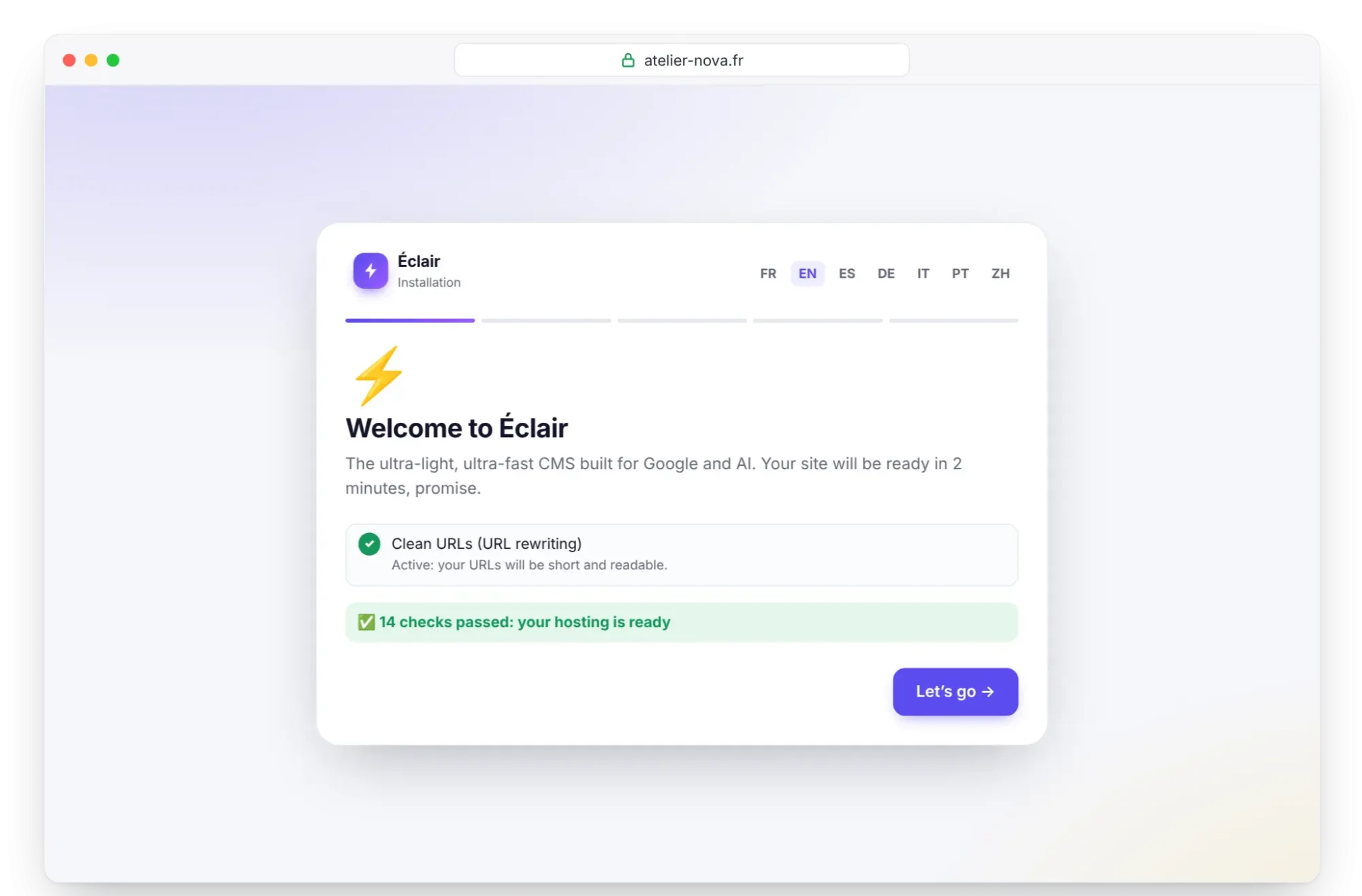
Open https://your-domain.com: the wizard starts and checks the server. Look above all at PHP, the write permissions of the data, cache and media folders, and the “Clean URLs (URL rewriting)” line, which must show “Active”. If everything is fine, click Let's go and follow Install Éclair step by step. The installation must be completed within 2 hours of this first visit.
Step 6: check after installation
- In Security, check the “Encrypted connection (HTTPS) enforced” and “Site address verified” lines. If needed, click Verify the site address.
- The “Folder protection test” must show Protected for every file.
- If you use the AI assistant, paste your key in Settings › AI assistant and click Test the connection. IONOS doesn't document its outgoing rules: this test gives you the answer in a few seconds.
Pitfalls specific to IONOS
- One folder per domain: if you upload Éclair anywhere other than the folder linked to the domain, the wizard won't appear.
RewriteBase /: a third-party open-source project, Shaarli, says IONOS requires it. If internal pages return a 404 while.htaccessis present, remove the#in front of the# RewriteBase /line in Éclair's.htaccess.- No
mod_deflateon shared hosting, as it's reserved for managed servers. Éclair's.htaccessputs its compression in a conditional block: it's simply ignored, with no error. - The Authorization header, sometimes stripped under CGI, is already passed to PHP by Éclair's
.htaccess: the MCP connector needs it. - 262,144 inodes at most on all plans: enough room for many images.
- Daily backups of files and databases on all plans.
Install Éclair on IONOS: what if something goes wrong?
| Problem | Cause | Solution |
|---|---|---|
| The domain shows something other than the wizard | Domain linked to another folder | Check its destination, then click “Update domain info” |
| 404 error on every page except the home page | .htaccess missing, or RewriteBase required | Upload .htaccess again, then uncomment RewriteBase / if needed |
| No padlock | Certificate not activated, or domain not using IONOS's name servers | Repeat step 2 and check the name servers |
| “Can't reach ChatGPT (OpenAI)…” | Outgoing connection refused | Contact IONOS support, or use the MCP connector |
| 500 error right after uploading | .htaccess directive refused (rare) | Follow the Troubleshooting page |
Key points
- At IONOS, PHP is set per domain: choose 8.3 for the site's domain.
- Link your domain to an empty folder, then upload the contents of the
eclairfolder there by SFTP. - Run the wizard over
https://: Éclair then forces HTTPS itself. - Test outgoing connections before relying on the AI assistant.
Going further
- Prepare your installation, Install Éclair step by step and Essential settings before launch.
- Turn on the built-in AI assistant and Understanding the MCP connector.
- Choosing your web hosting for Éclair and the universal FTP method.
- IONOS's official help: changing the PHP version, SFTP connection and available Apache modules.
Frequently asked questions
Does IONOS offer PHP 8.3?
Yes. The plans page lists PHP 8.2, 8.3 and 8.4, to choose domain by domain in the PHP tile. Whether PHP 8.5 is available isn't confirmed.
Is the SSL certificate included in the price?
Yes, every plan includes a “1 DV Wildcard” certificate; the Ultimate plan includes an unlimited number. You need to activate it from Menu › Domain & SSL.
Can I extract the archive in the Webspace Explorer?
IONOS's help doesn't mention this feature. Extract the archive on your computer and upload its contents by SFTP.
How much does IONOS cost for an Éclair site?
Standard costs €3 excl. VAT/month for 6 months, then €6 excl. VAT/month, as checked on November 1, 2026. Always compare the renewal price, which is higher than the introductory price.