Install Éclair on PlanetHoster
Contents
- The plan and control panel at a glance
- Step 1: choose PHP 8.3
- Step 2: check the HTTPS certificate
- Step 3: empty the public folder
- Step 4: upload Éclair's files
- Step 5: run the setup wizard
- Step 6: check after installation
- Pitfalls specific to PlanetHoster
- Install Éclair on PlanetHoster: what if something goes wrong?
- Key points
- Going further
- Frequently asked questions
You install Éclair on PlanetHoster in N0C, the web host's in-house control panel, in about 25 minutes. The Let's Encrypt certificate is created automatically and the file manager extracts archives. All that's left is to choose PHP 8.3 for your web project and upload the files, then keep an eye on two protections: the outgoing firewall and the web application firewall (WAF).
The plan and control panel at a glance
| Item | At PlanetHoster |
|---|---|
| Control panel | N0C (some older World accounts are still on cPanel) |
| Web server | LiteSpeed Enterprise; Apache + LiteSpeed on Standard and Plus according to the comparison table; .htaccess supported |
| PHP version | Any version from 4.4 to 8.5, including 8.3, set per web project |
| Public folder | public_html for the main domain |
| ZIP extraction | Yes, with Extract Archive in the file manager |
| Outgoing connections | Firewall described as strict, port 443 not documented: test it |
| Price checked on November 1, 2026 | Projet Web Standard: €7.99/month, with no mention of VAT (PlanetHoster pricing, in French) |
On a 24-month cycle, the World page also advertises a pack of 10 projects for €5.49/month, renewed at €19.99/month (World plans). These are euro prices from PlanetHoster's French site, and neither page says whether they include VAT: check when you order.
Step 1: choose PHP 8.3
- In the N0C sidebar, open Languages, then PHP.
- In the PHP VERSIONS list, choose 8.3, then click Apply.
- Reload the page and check that the current version has actually changed.
Why check again? N0C's changelog reported a success message shown even though the version hadn't changed. The version applies to the whole web project: for two sites on different versions, create one project per site. The Extensions PHP and Options tabs turn on a module or set memory_limit.
Step 2: check the HTTPS certificate
PlanetHoster generates a Let's Encrypt certificate for each domain and renews it automatically. You have nothing to turn on, only to check:
- Open Domains, then Domain management.
- Click your domain's SSL/TLS button: its status, provider and expiry date appear.
- If something is wrong with the certificate, click Renew.
No button to force HTTPS is documented in N0C. That's not a problem: run Éclair's wizard over https://, and Éclair checks Force HTTPS on its own; once the site address is verified, every visit is also redirected to the official address.
Step 3: empty the public folder
PlanetHoster doesn't document a default page. Open public_html anyway: an old index.html or a previous site's files could take precedence over Éclair. Move them to a backup folder before uploading.
Step 4: upload Éclair's files
First, make hidden files visible: in your N0C profile settings, turn off the option that hides files starting with a dot (“hide dotfiles”).
- Open Files, then File manager, and go into
public_html. - Click Upload and upload
eclair-cms-1.8.0.zip. - Select the archive, then click Extract Archive.
- Open the
eclairfolder that appears, select all of its contents,.htaccessincluded, and move them topublic_html. - Delete the empty
eclairfolder, the archive and the three.txtfiles that come with it.
For FileZilla, open Files › FTP Accounts and click the “FTP settings” icon: the username follows the user@domain format. SFTP, included in all World plans, uses port 5022: type sftp:// before the host. Turn on Server › Force showing hidden files before uploading.

Step 5: run the setup wizard
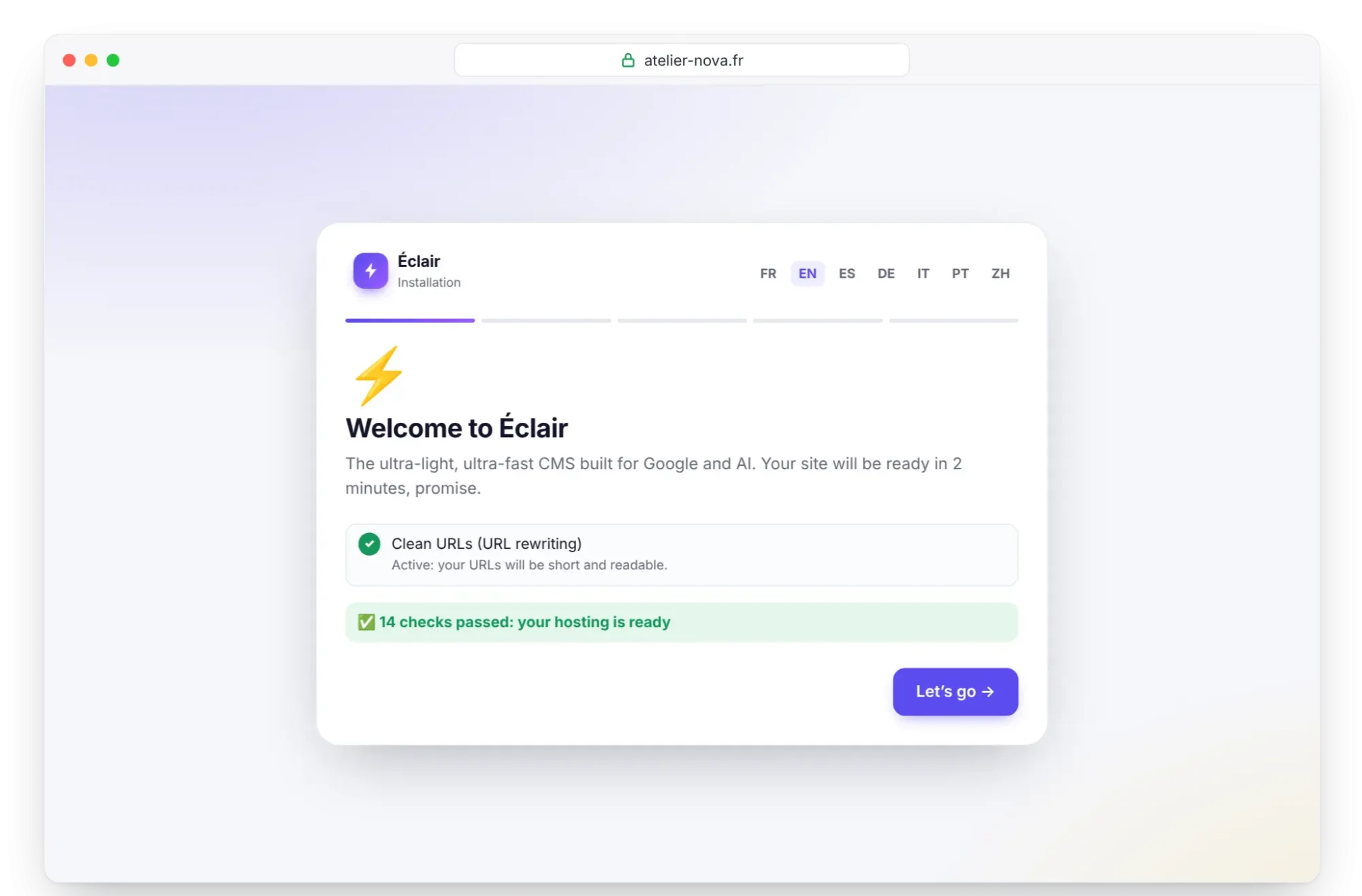
Open https://your-domain.com. Éclair's wizard shows its checks: PHP 8.3, extensions, write permissions, HTTPS and “Clean URLs (URL rewriting)”, which must say “Active”. Click Let's go, then follow Install Éclair step by step for the 4 questions. Finish within 2 hours of this first visit.
Step 6: check after installation
- On the Security page, check “Encrypted connection (HTTPS) enforced” and “Site address verified”. If not, click Verify the site address.
- The “Folder protection test” must show Protected everywhere.
- Test outgoing connections: in Settings › AI assistant, paste your key and click Test the connection. Even with a wrong key, the “API key rejected” message proves that your server reached the provider; “Can't reach” points to a block.
Pitfalls specific to PlanetHoster
- A strict outgoing firewall: according to an old reply from the team, only certain outgoing TCP ports are open, and you must ask the technical department to open others. Port 443 isn't documented.
- The WAF, in Security › Web App Firewall (WAF), is switched on domain by domain with the STATUS slider. Security › Firewall history lists blocked requests with the ID of each rule. For a 403 error, turn off only the offending rule in CUSTOMIZE RULES, not the whole firewall.
- The 406 error means a block of about ten minutes after too many attempts on an admin interface.
- Your IP address blocked after failed SSH, FTP or IMAP logins: an unblocking form is available at
https://your-domain.com/webmail. - File permissions: for a 403 error, the knowledge base recommends 644 for files and 755 for folders.
- An older account on cPanel? Follow the universal cPanel method instead.
Install Éclair on PlanetHoster: what if something goes wrong?
| Problem | Cause | Solution |
|---|---|---|
| PHP stays on the old version | Change shown as successful but not applied | Reload Languages › PHP, then click Apply again |
| 404 error on every page except the home page | .htaccess hidden, so not moved | Turn off “hide dotfiles”, then move the .htaccess |
| 403 error after saving | WAF rule | Find it in Firewall history, then turn it off in CUSTOMIZE RULES |
| 403 error on the whole site | Wrong permissions | Files at 644, folders at 755 |
| “Can't reach Claude (Anthropic)…” | Outgoing port closed | Ask the technical department to open it, or use the MCP connector |
The Troubleshooting page covers Éclair's other messages.
Key points
- Choose PHP 8.3 in Languages › PHP, then check that the change took effect.
- The Let's Encrypt certificate is automatic: check it, then run the wizard over
https://. - Turn off “hide dotfiles” before moving the contents of the
eclairfolder topublic_html. - Test outgoing connections and adjust the WAF rule by rule.
Going further
- Prepare your installation, Install Éclair step by step and Essential settings before launch.
- Turn on the built-in AI assistant and Understanding the MCP connector, which doesn't depend on outgoing connections.
- Choosing your hosting: PlanetHoster compared with the other web hosts.
- N0C knowledge base: PHP versions, SSL certificates and 403 errors.
Frequently asked questions
Which PlanetHoster plan should I choose for Éclair?
A Standard web project is enough for one site, listed at €7.99/month on November 1, 2026. For several sites, the pack of 10 projects at €5.49/month over 24 months, renewed at €19.99/month, gives each site its own PHP version.
Where is my data hosted?
PlanetHoster has data centers in Paris, Lausanne and Montréal. You choose Europe or North America for each web project.
How do I reach PlanetHoster support?
By phone, chat and ticket, 24 hours a day. Its technicians speak French; PlanetHoster doesn't list other languages.
Does PlanetHoster back up my site?
Yes, every day, with 45 days of encrypted history in another data center. Also keep Éclair's own backup, which you download from the Security page.